Over the past year, the enterprise AI conversation quietly moved past chatbots. We stopped talking about assistants that sit idle until a human types a prompt, and started deploying always-on agents—background workers across Claude, Microsoft Copilot Studio, OpenAI, and custom runtimes that wake up on a schedule, monitor queues, or react to webhooks at 2:00 AM.
When those agents run against Slack, Notion, or internal research repositories, full autonomy feels like magic.
When they are pointed at SAP or your system of record, full autonomy feels like a firing offense.
The 2:00 AM paradox: alert fatigue vs. audit failure
If you lead IT, enterprise architecture, or back-office operations, proposals for always-on agents usually force you into an impossible trade:
-
The "Read-Only Watchdog" (safe, and mostly useless):
Your agent runs overnight, inspects 400 overdue deliveries or blocked customer invoices, and posts a neat summary to Teams at 7:00 AM. When your operations team arrives at 8:30 AM, the work is still waiting for them. Someone still has to log into the ERP, look up each transaction code, cross-check the numbers, retype the fields by hand, and save. The agent didn't remove the manual grind; it just automated the generation of your morning backlog.
-
The "Unattended Actor" (fast, until the first audit):
You give the agent an enterprise service account and let it write to the database overnight. For three weeks, it feels like pure leverage. In week four, a vendor sends a revised invoice with an unfamiliar unit of measure or an amended bank detail, and the agent writes it directly into the general ledger at 2:14 AM. Even when the change is technically accurate, the first internal audit will ask the one question that ends the project on the spot: "Who approved this AI-initiated change?"
Neither option delivers what you actually wanted from enterprise AI. You didn't buy into autonomous agents to read longer morning reports, and you certainly didn't buy into them to let a probabilistic model execute unsupervised writes while your team sleeps.
What you actually wanted was simple: the grunt work finished by 8:00 AM, and the final decision left to a human who knows the business.
The practical fix: separate preparation from execution
In any back-office ERP operation—whether it is resolving a blocked sales order, updating vendor terms, or clearing a reconciliation exception—90% of the effort is finding context, cross-checking data, and preparing the change. Only 10% is clicking save.
When you decouple preparation from execution, the 2:00 AM paradox disappears:
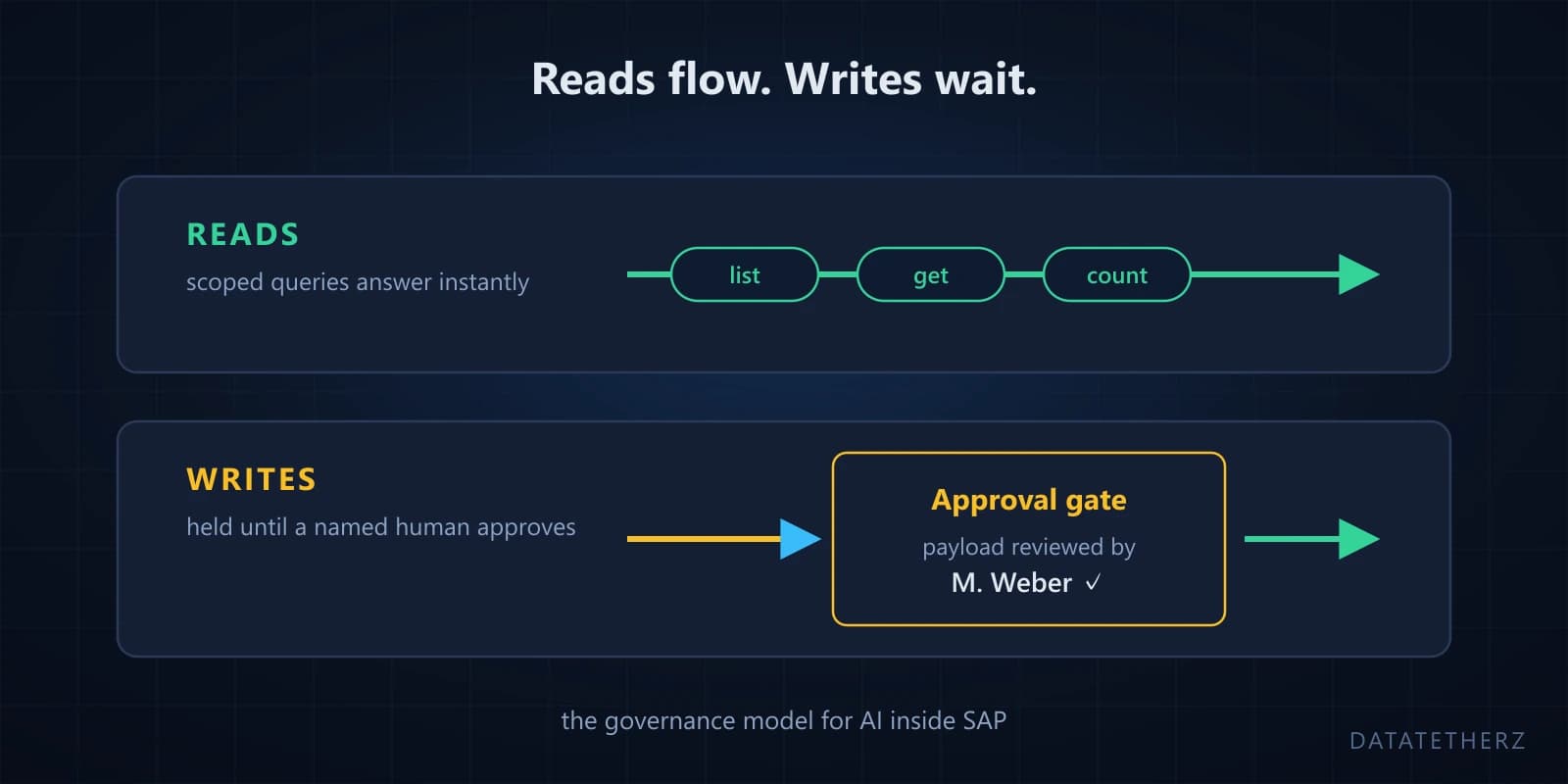
- Between 6:00 PM and 8:00 AM (The Agent's Shift): The agent runs on its schedule or event trigger. It reads the necessary records, correlates the documents, performs the cross-checks, and drafts the exact change payload required. Then it stops at an enforced hold gate. Nothing touches production tables.
- At 8:30 AM (Your Team's Shift): Your specialist opens their queue over morning coffee. Instead of 15 raw exceptions requiring two hours of SAP transaction lookups and data entry, they see 15 investigated, pre-staged actions. Each item shows the record, the current value, the proposed new value, and the supporting reasoning. They review each in ten seconds and click approve or reject.
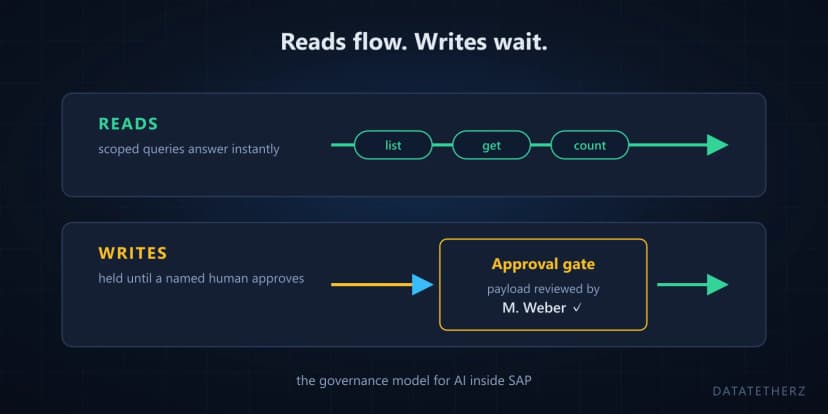
The agent handles the two hours of repetitive data gathering overnight. A named human makes the ten-second judgment call in the morning. That is how reads flow freely while writes wait for human review.
A practical framework: the 3-tier autonomy matrix for ERP
Before connecting background agents to any core system, run your candidate workflows through this three-tier filter. You can take this directly into your next architecture review:
The 15-Second Test for Tier 2: If a domain specialist cannot determine whether an agent's staged change is correct in under 15 seconds, the agent has not gathered enough context—or the workflow belongs in Tier 3.
A 60-second test for tomorrow morning
You do not need a lengthy evaluation project to see where this applies in your current operation. Try this tomorrow morning between 8:30 and 9:00 AM:
Watch the first three tickets or emails your operations team resolves in your ERP. Ask one question:
"How much of the last fifteen minutes was spent deciding what to do—and how much was spent hunting down records and retyping values?"
Once you notice that split, it becomes impossible to ignore. Every minute spent toggling between an email thread and an ERP screen is work an always-on agent could have prepared and staged before your team arrived.
Why teams get stuck building the governance layer
When engineering teams try to build this "prepare overnight, approve in the morning" workflow from scratch, they quickly discover that the AI agent runtime is the easy part.
The hard part is the governance infrastructure required between the agent and the ERP:
- Restricting entity and column scopes so background agents cannot access sensitive HR or financial data.
- Enforcing approval gates that capture the exact proposed payload and hold execution until a designated reviewer signs off.
- Logging the requesting agent, the exact payload, the approver's identity, the decision, and the ERP response—giving compliance an ironclad audit trail rather than an unstructured chat log.
- Avoiding the trap of building and maintaining bespoke servers for every single OData service, only to rebuild them when teams adopt different AI clients across departments.
That missing layer is why we built DataTether.
DataTether gives always-on AI agents scoped read access to investigate and prepare work, automatically holds every write at a named human-approval gate, and generates a tamper-evident audit trail for every action across SAP and OData systems—with zero custom servers to host or maintain.
Explore related guides

 security