The fastest way to evaluate the whole "connect AI to your ERP" idea is not a slide deck, a vendor call, or this blog. It's watching a live OData service become working AI tools in front of you — and you can do that without touching your SAP landscape, because public demo services exist for exactly this.
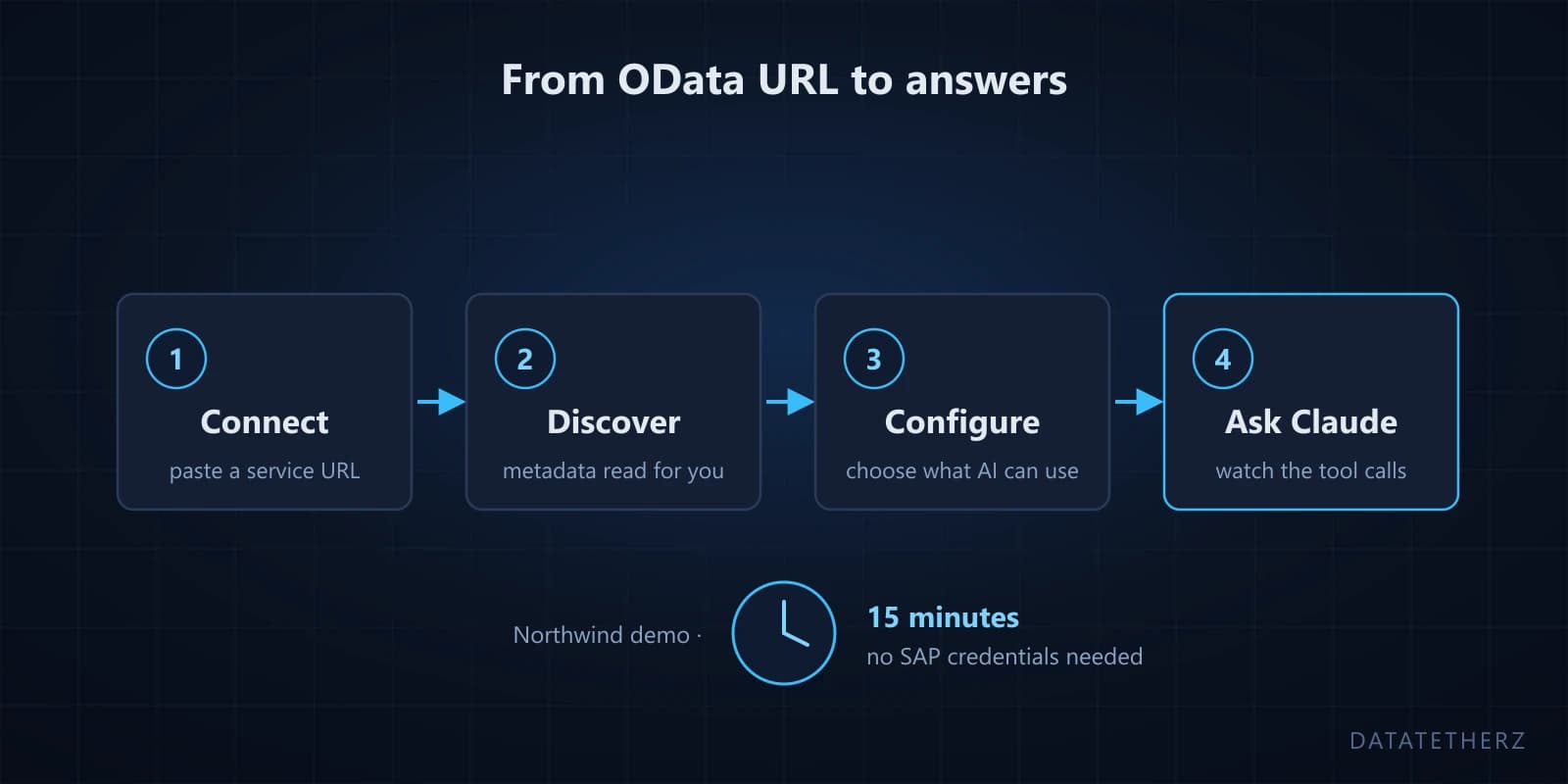
We use Northwind — the classic public OData sample service of customers, orders, and products. No credentials, no VPN, no change request. The full click-by-click version lives in our docs as the Northwind walkthrough; this post is the fifteen-minute tour of what happens and why each step matters when you later swap Northwind for a real SAP URL.
Minutes 0–3: Connect
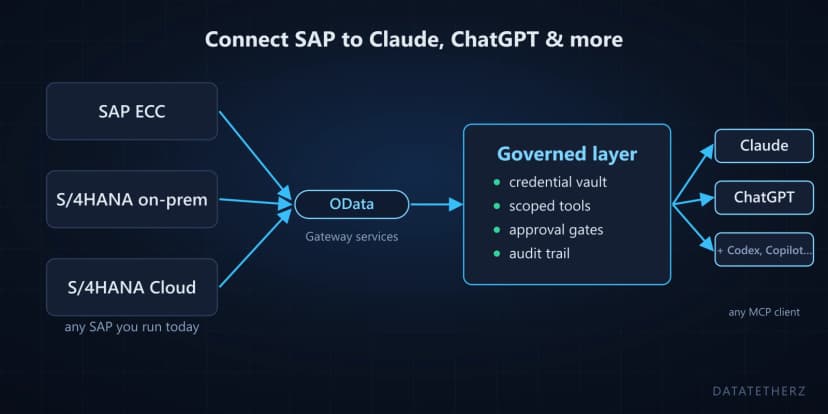
You paste one thing: the service root URL. For Northwind, that's a public endpoint; for your SAP system later, it'll look like https://your-host/sap/opu/odata/sap/API_SALES_ORDER_SRV/. Northwind needs no auth; a real service gets Basic Auth, session cookies, or OAuth — stored in a vault, never shown to the AI client.
That's the entire "integration." No server to deploy, nothing installed on-premise.
Minutes 3–5: Discovery
The platform fetches the service's $metadata document and lists what it found: entity sets (Customers, Orders, Products…), their fields and keys, and any functions. On Northwind that's a tidy list. On a real SAP service it's the moment the approach proves itself — hundreds of entities and cryptic field names, inventoried in seconds instead of read out of a spec by an engineer.
Minutes 5–10: Configure — the important part
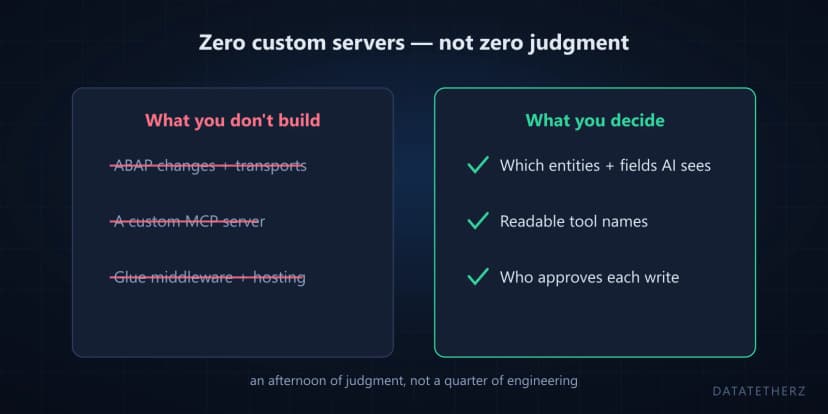
This is where you decide what the AI is allowed to see and do, and it's the step worth actually playing with:
- Turn on Customers and Orders; leave everything else off.
- Allow list/filter, get, and count — read operations only.
- Deselect fields you'd never want exposed (on Northwind it hardly matters; on a real service, this is where sensitive columns stay dark).
- Rename a tool and give it a plain-English description — the difference between
Orders_Filter and "Search customer orders by date, region, or value" is the difference between an AI that guesses and one that acts.
Notice what you're doing: making scoping decisions in minutes that a custom build would implement in code over weeks — the whole point of the platform layer.
Minutes 10–15: Point Claude at it
You get one MCP endpoint URL. Add it to Claude (or ChatGPT, or Claude Code) as a connector, then ask something real:
"Which customers placed the most orders, and what's the trend by quarter?"
Watch the tool calls happen — only against the entities and operations you enabled. Ask for something you didn't expose and the AI simply can't do it; the tool doesn't exist. That negative test is quietly the most persuasive part of the demo.
What changes with a real SAP system
Three things, and only three: auth (your service's Basic/cookie/OAuth setup instead of none), scale (search and cleanup matter more when a service has 400 entities), and writes — on a real system you can enable create/update operations, at which point every proposed write waits at an approval gate for a named human. The flow you just ran is otherwise identical. That's the claim behind "connect SAP to Claude in an afternoon" — you've now personally run the afternoon, minus the SAP URL.
Run it yourself with the full walkthrough. Then, when you're ready to do the same against a real service — yours or our credentialed SAP demo system — request guided access and we'll do it live with you.

 sap
sap